 SCRYWOW
ScryWoW › Add-on features › Smarter world map
ScryWoW add-on · Questing & leveling
A smarter world map
Pins for the trainers and vendors your class actually needs, and quest markers coloured by value, right on the game's own map.
What it does
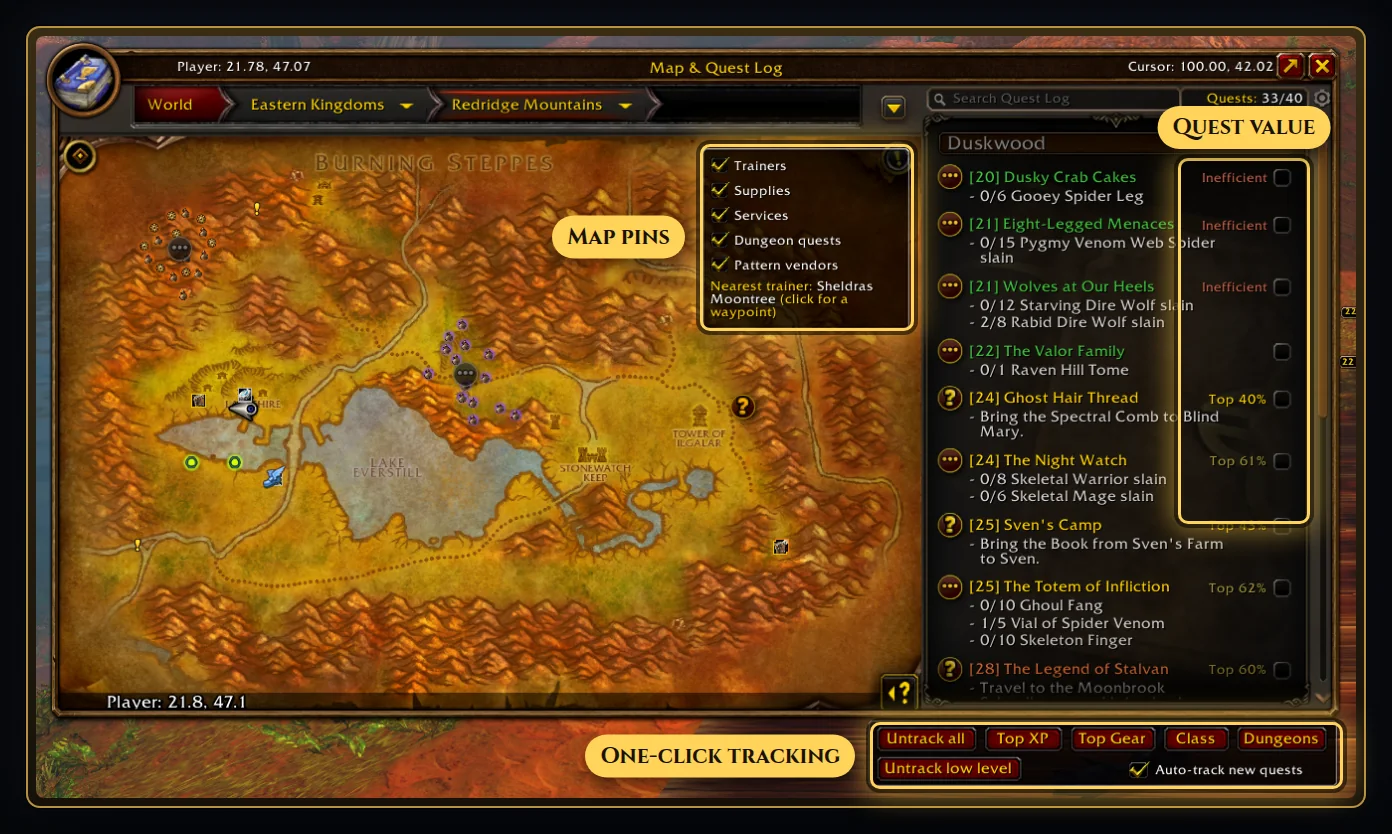
Trainers: your class trainer, plus the pet trainer for Hunters, demon trainer for Warlocks, portal trainer for Mages and your profession trainers. The continent map shows trainers too, and the nearest one.
Supplies for what your class buys: bowyers, gunsmiths, pet food and stable masters for Hunters, poison vendors for Rogues, a bowyer for a Warrior's pulling weapon, and reagent vendors for everyone else.
Services: auction houses, flight masters and innkeepers. Pattern vendors: the limited-stock recipe vendors worth checking. Dungeon quests in purple.
Pins are small coloured dots that open into their icon when you point at them, and a dot steps aside so it never covers a quest marker.
The game's quest markers get a coloured halo by value: orange for the best XP for the time, gold for great, grey for low, and red for quests you planned to skip.
How to use it
- Open the world map. Pins show for your class right away.
- Click the small round ScryWoW button on the map to switch each kind of pin on or off.
- Point at a pin for who it is and what they sell or teach.
Good to know
- Supplies, services and pattern vendors show on zone maps; trainers also show on the continent map.
- Pins come from the community quest database for Forever. If an NPC moves in a patch, a pin can be off until the next update.
Or download it here. Free, no ads.
Related features
Craft your own path
ScryWoW doesn't try to replace your other add-ons. It keeps the game's own look, adds a little where it helps, and every extra has its own off switch. Start with a plan for your character, then take it into the game.