 SCRYWOW
ScryWoW › Add-on features › Clean screen in combat
ScryWoW add-on · Combat
A cleaner screen in combat
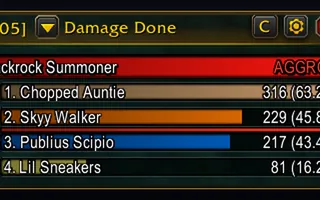
Fade out chat, the XP bar, the quest sidebar and the damage meter when a fight starts. They come back when it ends.
What it does
Each one has its own tick, and they're all off until you turn them on: chat, the beta's Issue Reporter button, the XP bar, the ScryWoW sidebar with the quest tracker, and the damage meter.
Need chat mid-fight? Point at it or press Enter and it's back. Everything returns a few seconds after the fight ends.
It works in Scenic view too.
How to use it
- Open the ≡ menu → Combat → Hide during combat.
- Tick what you want gone in fights.
Good to know
- It only fades things: nothing is closed or moved, so your layout is exactly as you left it.
- Like to watch the meter during a pull? Leave that one unticked.
Or download it here. Free, no ads.
Related features
Craft your own path
ScryWoW doesn't try to replace your other add-ons. It keeps the game's own look, adds a little where it helps, and every extra has its own off switch. Start with a plan for your character, then take it into the game.