 SCRYWOW
ScryWoW › Add-on features › Favorite players
ScryWoW add-on · Players & chat
Remember the players you meet
Save the crafter who made your belt, the tank from last night's run or the mage with portals, with a note, without filling up your friends list.
What it does
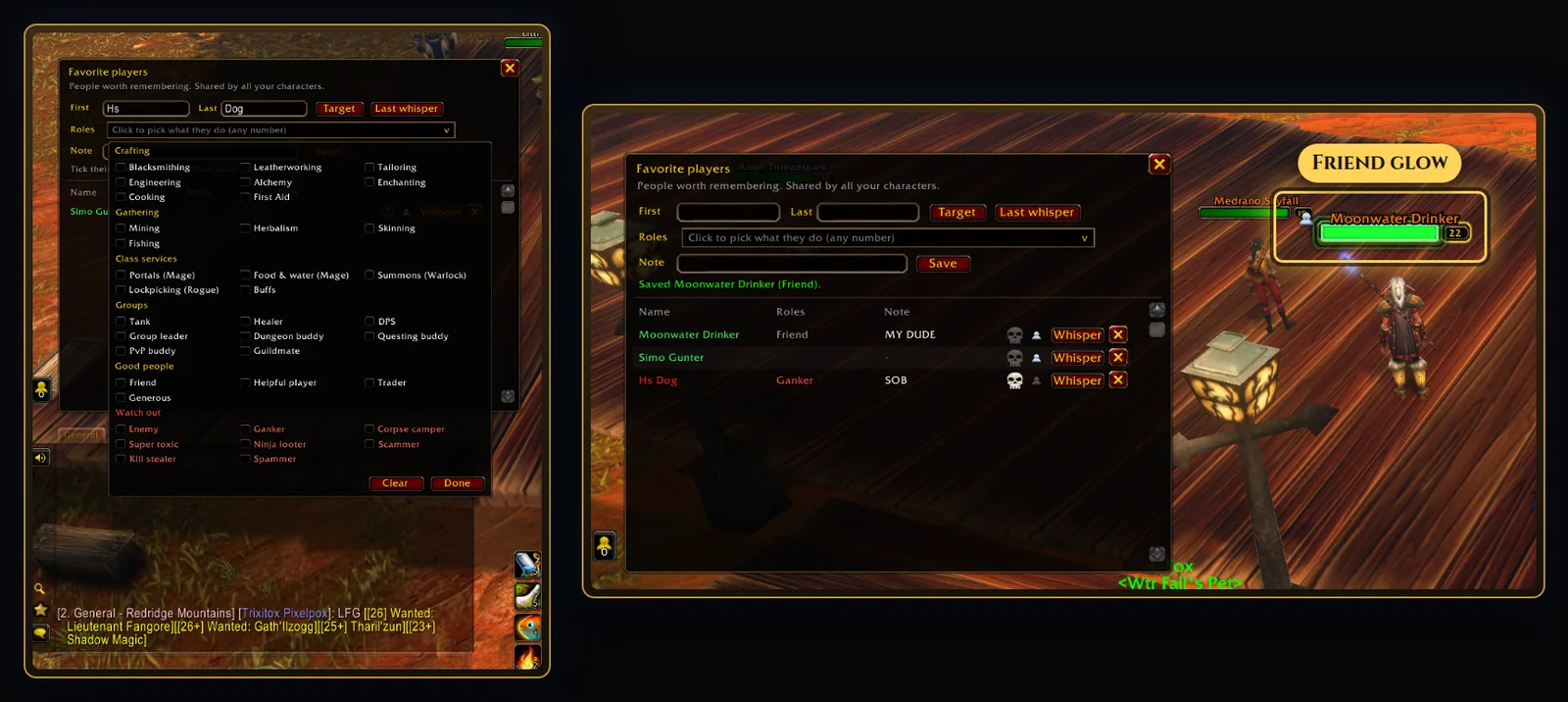
Right-click a player (their portrait, a party frame, or their name in chat or the combat log) and pick Add to chat favorites. Their name is filled in exactly right. Pick what they do (Blacksmithing, Cooking, Portals, Tank and more), add a short note like "made my belt", and save.
A gold star on your chat window opens the list, with a Whisper button for each. Favorites are shared by all your characters.
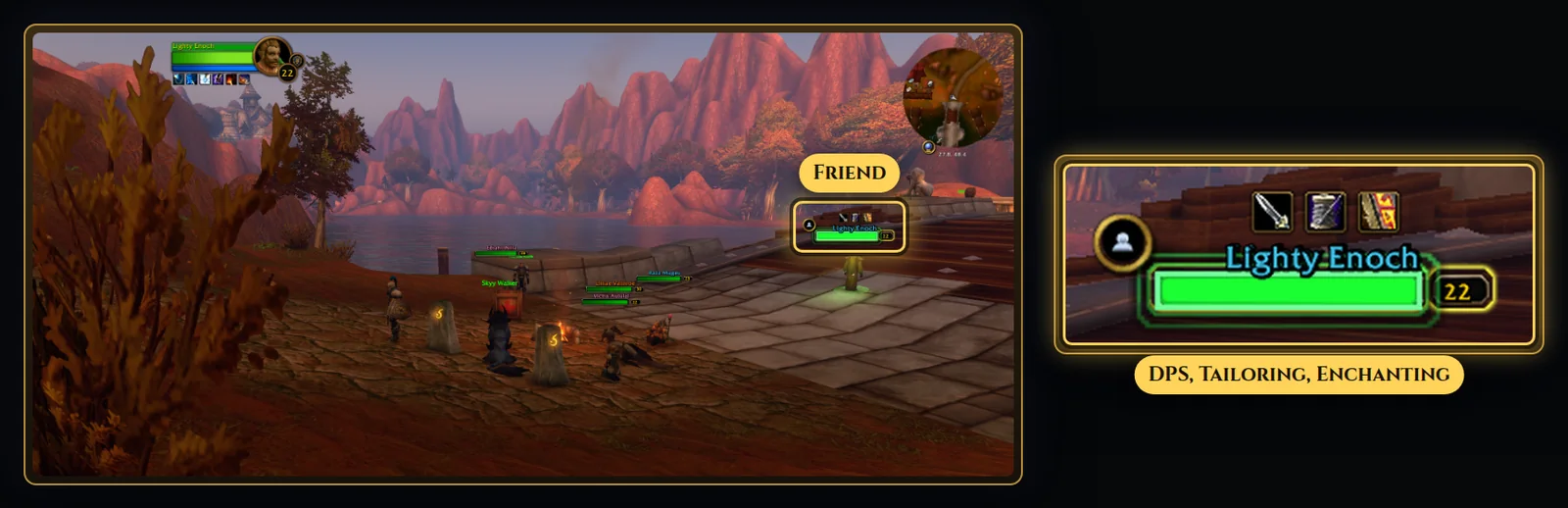
When you run into a favorite, their name plate gets a small star and up to four icons for what they do, and hovering them shows your note. Mark someone as a friend and their plate glows green, with a heads-up when they're nearby.
A two-arrow button by the chat window targets the next favorite near you, one click at a time.
How to use it
- Right-click a player and choose Add to chat favorites.
- Pick their roles, add a note and click Save.
- Open the list any time from the gold star on your chat window, or with
/scry fav.
Good to know
- Name plate marks need friendly player name plates turned on in the game (Shift+V).
- Your favorites and notes stay on your PC. Notes are never shared.
- Prefer a cleaner look? Turn off the role icons and keep just the star.
Or download it here. Free, no ads.
Related features
Craft your own path
ScryWoW doesn't try to replace your other add-ons. It keeps the game's own look, adds a little where it helps, and every extra has its own off switch. Start with a plan for your character, then take it into the game.