 SCRYWOW
ScryWoW › Add-on features › Watch-out marks
ScryWoW add-on · Players & chat
Gankers marked on sight
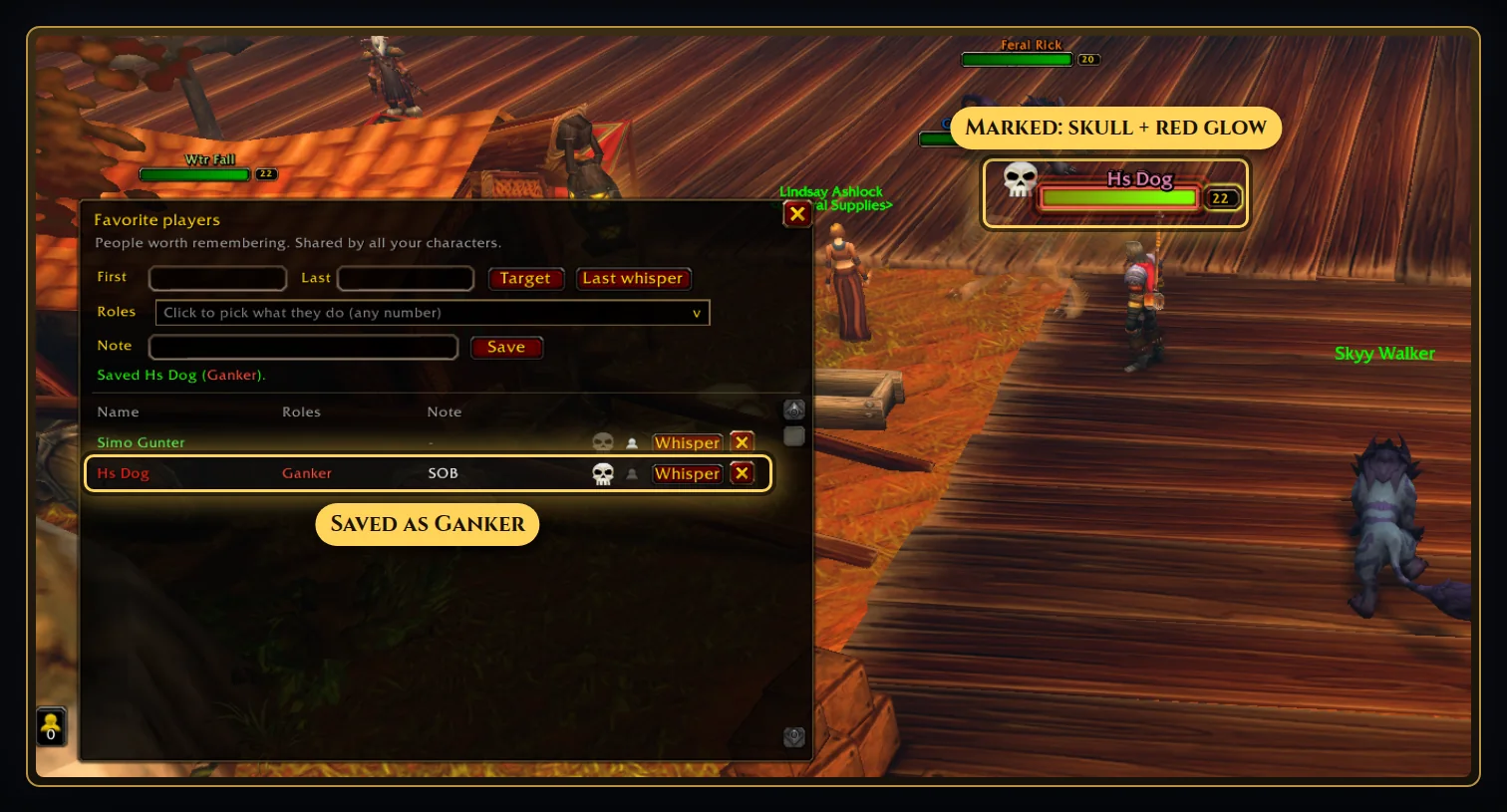
Mark a player who ganked you and their name plate gets a red skull and a glow, with a warning when they show up again.
What it does
In Favorite players, give someone the skull (watch out) mark. Their name plate gets a red skull and a slow red glow, and you hear a warning when they show up, at most once every few minutes.
Lost track of who it was? The Attackers button lists enemy players who hit you or came near you in the last 30 minutes, so the rogue who stealthed away can still be marked. When you die to a player, chat says who it was.
Share with your guild: guildmates who use ScryWoW see your watch-out marks as a red skull with "Marked by" and your name. Only the role is shared (like Ganker), never your notes. You can also share with your party or raid, and right-click anyone to ignore the marks they share.
A horn button can warn your zone's General chat about a marked player, with where it happened. It only sends when you click and confirm.
How to use it
- Right-click the player (or their name in the combat log) and add them to favorites.
- Click the skull next to their name in Favorite players.
- Make sure name plates are on so you can see the mark.
Good to know
- Nothing is posted to chat or shared unless you ask for it. Sharing can be switched off.
- Guildmates need ScryWoW to see your marks. You'll also see a small crest on guildmates' plates and a blue dot for anyone who uses ScryWoW (both optional).
Or download it here. Free, no ads.
Related features
Craft your own path
ScryWoW doesn't try to replace your other add-ons. It keeps the game's own look, adds a little where it helps, and every extra has its own off switch. Start with a plan for your character, then take it into the game.