 SCRYWOW
ScryWoW › Add-on features › Readable XP bar
ScryWoW add-on · Questing & leveling
An XP bar you can actually read
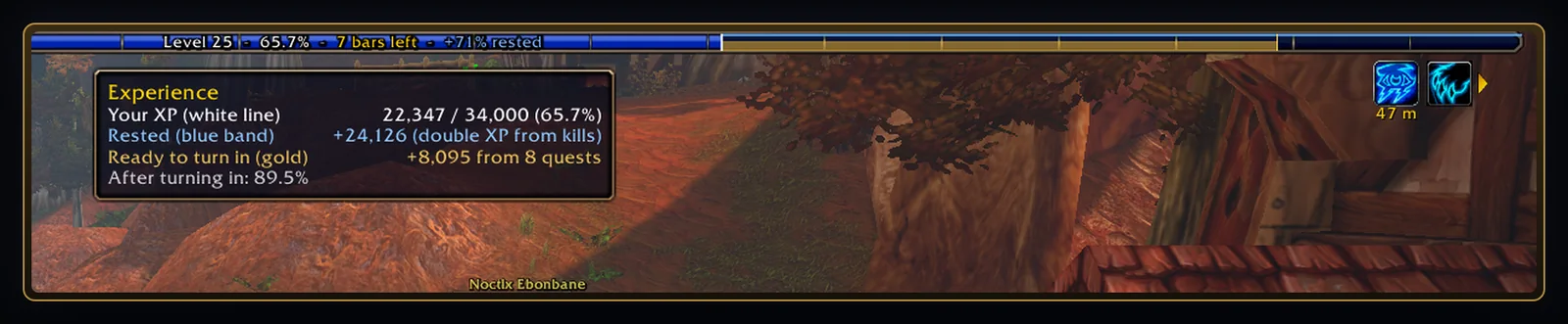
The game's own XP bar, with the numbers written on it, a clear rested band and a preview of what your finished quests will give you.
What it does
When you're rested the game turns the whole XP bar blue, so it's hard to see what's actually yours. ScryWoW adds a white line where your XP ends and a thin blue band along the top for your rested XP: kills give double XP until you reach its end.
A soft gold fill shows where you'll be once you hand in the finished quests in your log, so you know if a turn-in run gets you the level.
Tick Text on the XP bar and it writes any mix of your level, percent, bars left and rested % over the middle of the bar. Hover the bar for what each colour means.
How to use it
- Install the add-on: the rested line, band and turn-in preview are on from the start.
- Want the numbers? Open the ≡ menu → XP bar and tick Text on the XP bar, then pick which pieces to show.
Good to know
- The turn-in preview uses each quest's real XP, which is less for quests far below your level.
- It's the game's own bar with a few marks on it, not a replacement, so other XP bar add-ons and UI scale still apply.
Or download it here. Free, no ads.
Related features
Craft your own path
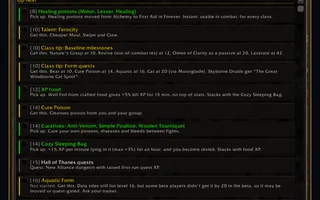
ScryWoW doesn't try to replace your other add-ons. It keeps the game's own look, adds a little where it helps, and every extra has its own off switch. Start with a plan for your character, then take it into the game.